 Dividends Inside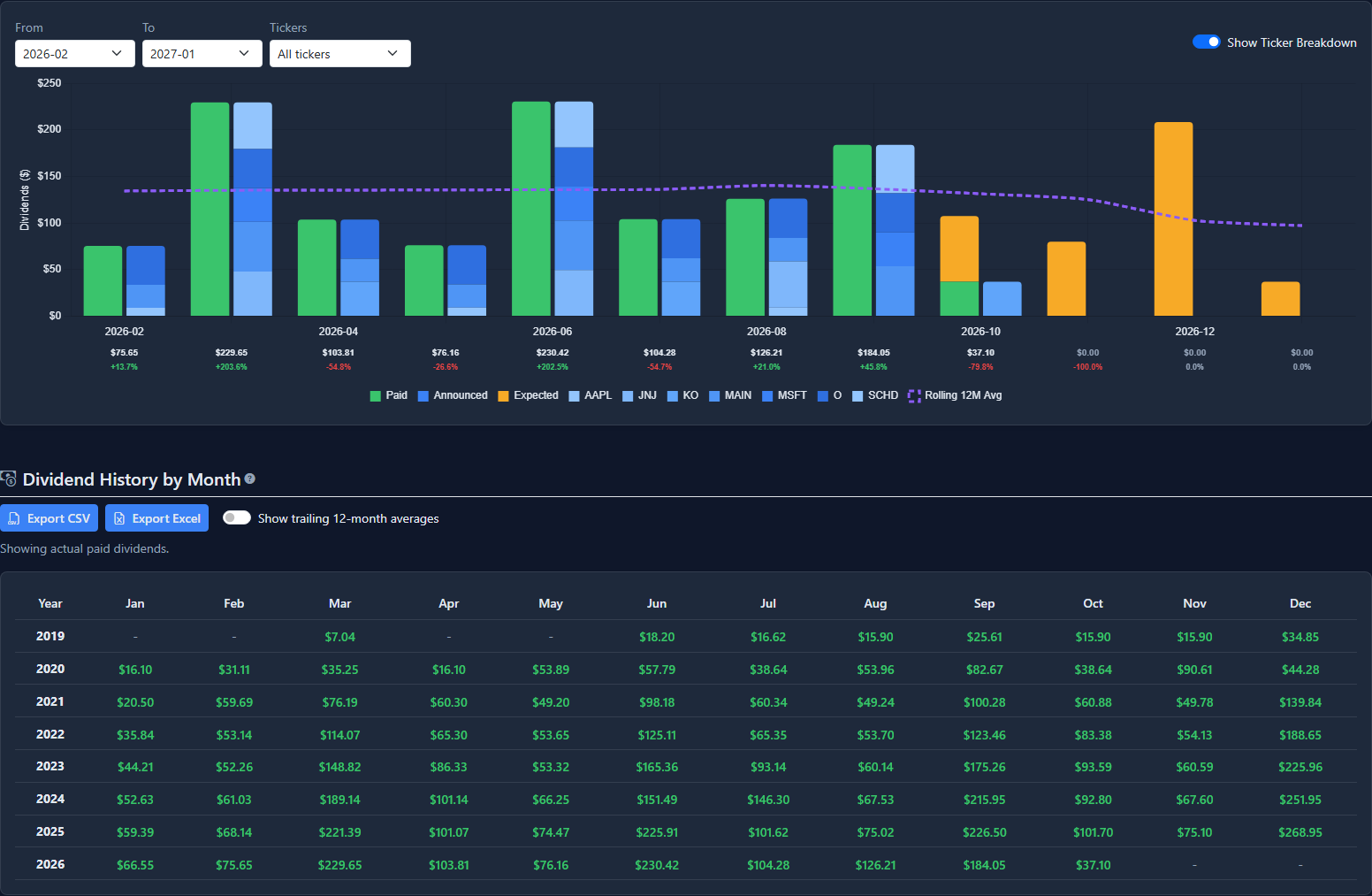
Dividend payments & history
Follow your dividend income over time.
Explore payments by month and ticker, compare income across the years, and export your history to CSV or Excel.
Designed for investors who prioritize dividend income, accurate lot tracking without third-party connections, and a clearer view of every portfolio. Explore the market and use our tools for free, or create an account to track and monitor your portfolio at no cost.
Use the stock screener, historical stock and dividend data, market snapshot, DRIP calculator, and forecast tool—no account required.
Explore dividend history, income allocations, the calendar, and portfolio performance.
Explore payments by month and ticker, compare income across the years, and export your history to CSV or Excel.
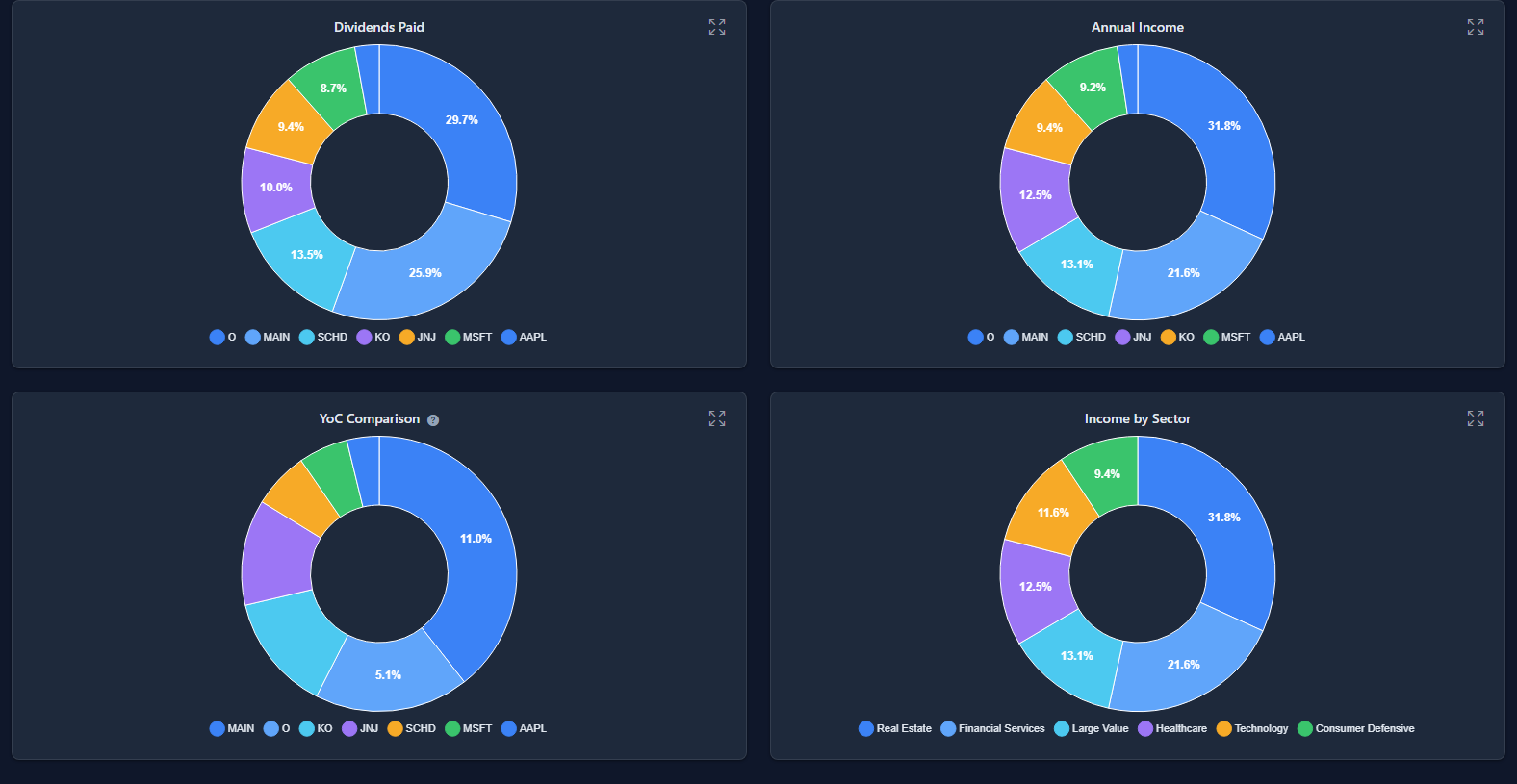
Explore income by holding and sector, compare annual income and yield on cost, and see which investments contribute most.
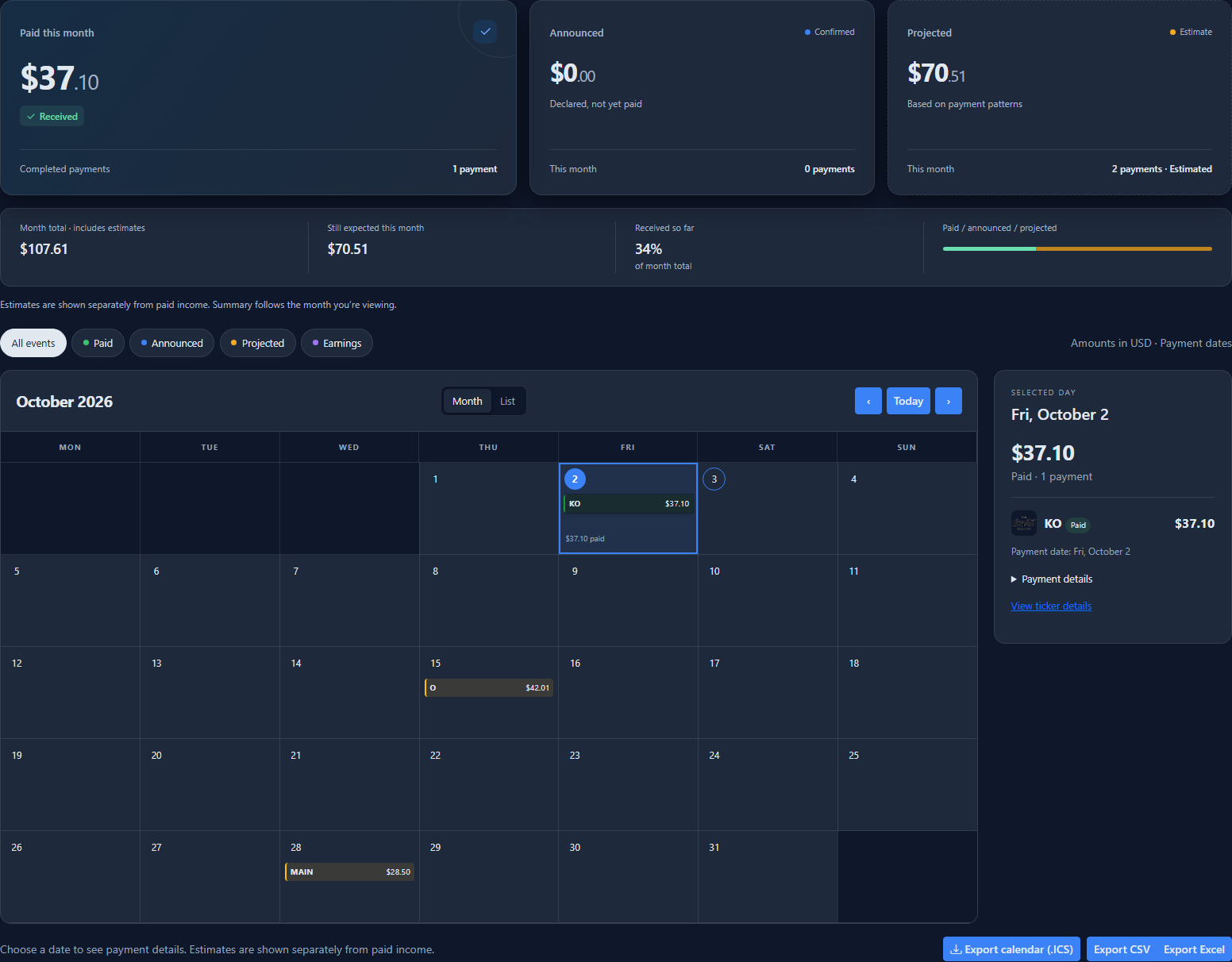
See monthly totals, upcoming payments, and selected-day details together, then export events to your calendar.
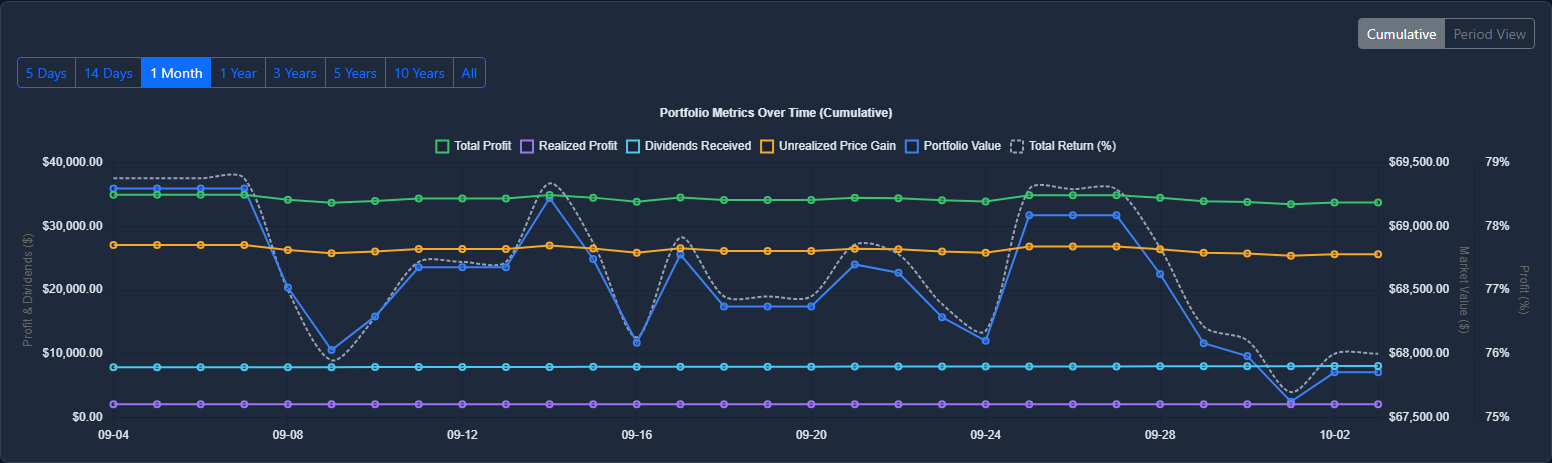
Explore performance over different periods and see how dividends contribute to your returns.
Example portfolio. Select a screenshot to view it full size.
Try the public example portfolio to explore holdings, dividends, the calendar, and forecasts. No account required.
View Example PortfolioBrowse the screener, open stock pages, and use the tools first. Create an account when you want to save portfolios and track your own data.
Check what is moving today, then jump straight into a ticker page or start exploring the database.
Create an account to save portfolios, manage lots, follow dividends, and keep ticker-level performance close at hand.
Compare funds by market cap, dividend yield, and dividend growth.
Ranked by market cap
| Fund | Market cap |
|---|---|
| JEPQJPMorgan Nasdaq Equity Premium Income ETF | $38.86B |
| GPIXGoldman Sachs S&P 500 Premium Income ETF | $5.66B |
| GPIQGoldman Sachs Nasdaq-100 Premium Income ETF | $5.49B |
| XYLDGlobal X S&P 500 Covered Call ETF | $3.35B |
Ranked by dividend yield
| Fund | Dividend yield |
|---|---|
| LRCY.XLONIncomeShares Lam Research (LRCX) Options ETP | 185.42% |
| IREY.XLONIncomeShares IREN Options ETP | 157.08% |
| ARMI.XLONIncomeShares ARM Options ETP | 145.37% |
| YSEM.XLONiShares MSCI EM Islamic UCITS ETF | 98.14% |
Ranked by five-year dividend growth
| Fund | 5Y growth |
|---|---|
| TQQQProShares UltraPro QQQ | 163.32% |
| INCOColumbia India Consumer ETF | 104.94% |
| QLDProShares Ultra QQQ | 102.62% |
| IGPTInvesco AI and Next Gen Software ETF | 98.78% |
Ranked by dividend yield
| Fund | Dividend yield |
|---|---|
| ALF.XLONAlternative Liquidity Fund Limited | 485.00% |
| TESLSimplify Volt TSLA Revolution ETF | 219.61% |
| LRCY.XLONIncomeShares Lam Research (LRCX) Options ETP | 185.42% |
| IREY.XLONIncomeShares IREN Options ETP | 157.08% |
Save portfolios, import trades, follow dividend income, export what you need, and keep every position in one place.